








How to Build a Variant Photo Reference Sheet for Party Kits
How to Build a Variant Photo Reference Sheet for Party Kits
When a wholesale range includes several party kit variants, the same visual theme can appear in different component counts, age numbers, color mixes and packaging formats. A photo reference sheet helps buyers distinguish those versions before an image moves from a supplier conversation into a retail listing. Its purpose is simple: make it easy to answer which product a photograph shows, what the photograph is meant to prove and whether that version has been approved.
Start with the decision the sheet must support
Do not begin by collecting every available image. Decide whether the sheet supports product selection, sample approval, listing preparation or an order repeat. Selection can include provisional references. Approval requires the exact sample and specification under review. A repeat order needs the version previously accepted plus a record of any requested changes. State that purpose at the top so a useful inspiration image is not mistaken for an approved production reference.
Give each variant a stable identity
Use one row for each sellable configuration. Record a buyer SKU when available, a supplier product reference, a short variant name and the current specification revision. A name such as blue birthday set is usually too broad. Add the relevant distinguishing detail, such as the number balloon, pack size or banner language. If the supplier reference is not yet confirmed, mark it as pending. Avoid inventing a code that appears to be an official supplier identifier.
Assign a role to every photograph
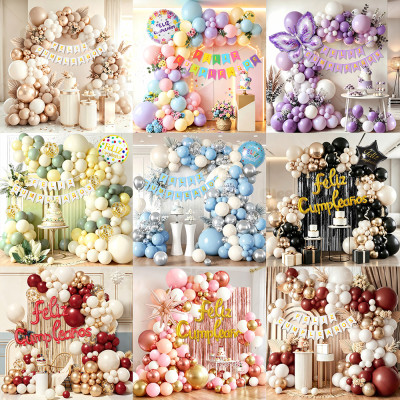
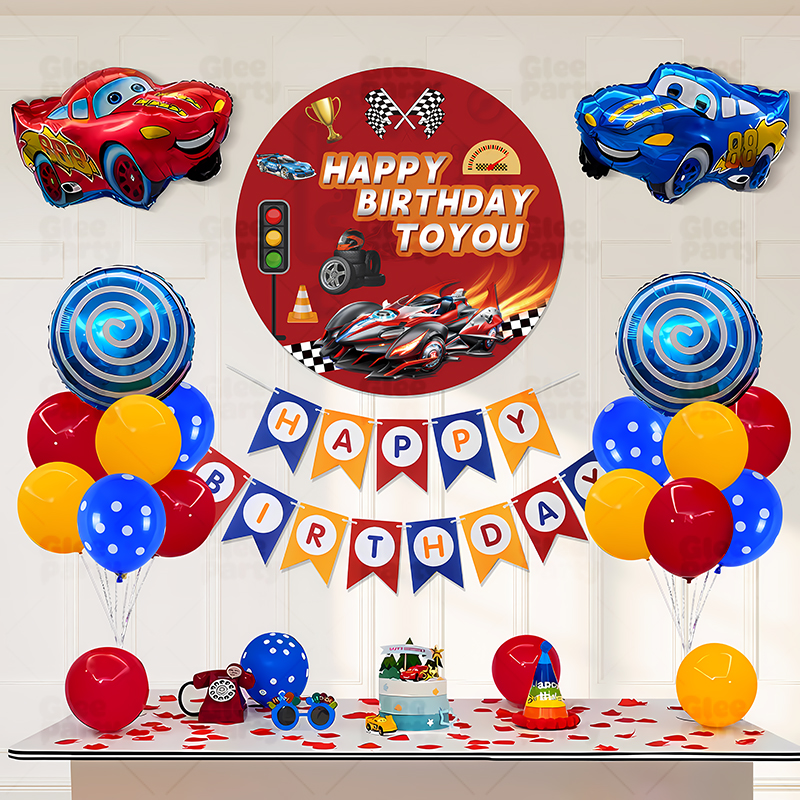
Separate the main visual, the contents layout, the packaging view and any detail close-ups. The main visual explains the intended look. The contents layout supports comparison with the written component list. Packaging views help reviewers see the retail presentation. Detail images can show a closure, accessory or print feature. These roles prevent one attractive scene from being used to answer questions it cannot resolve. A photograph of an assembled display does not establish a material specification or confirm how many pieces are inside a bag.
Write a short inclusion note
Beside each scene image, identify any props or display elements that are not part of the proposed kit. Beside a contents image, point to the written list that defines quantities and components. If the photograph contains an earlier banner or an optional accessory, explain that difference clearly and request a replacement where necessary. Do not rely on a tiny image caption to correct a major mismatch in the main listing. Resolve the mismatch before the asset is treated as final.
Use consistent filenames without losing original references
A practical filename can include the buyer SKU, image role and revision, such as KIT-A_contents_r02. Keep the original supplier filename in another column so both teams can trace the source. Avoid filenames like final-new-final because they do not reveal which version supersedes another. Store the actual file in a controlled folder and link to it from the sheet. A screenshot pasted into a messaging thread may be useful for comments, but it is a poor substitute for a maintained source file.
Review the physical sample against the sheet
During sample review, compare the actual items with the current contents image and specification. Check the distinguishing features first: printed wording, number or letter, component count and included accessories. Record discrepancies with a clear image and a factual note. For example, write that the sample contains one banner design while the reference shows another. Keep the acceptance decision separate from the observation. A team may approve a deliberate change, but that change should then be reflected in the sheet and relevant artwork.
Manage color and scale expectations carefully
Photography is useful for communication, but lighting, screens and editing can alter how color or size appears. Use agreed physical references or a suitable sample process when color matching matters. Record actual dimensions in the specification instead of estimating them from a scene. If a product photo is cropped or retouched for presentation, preserve a reference showing the real configuration. Avoid edits that imply additional pieces, a larger product or a finish that the approved item does not have.
Add review status and ownership
Give every row a status such as reference only, awaiting sample review, approved for listing or replaced. Include the review date, responsible person and a link to the approval record. An image can be approved for visual selection without being approved as final listing content; the status should make that distinction understandable. Ask purchasing, merchandising and the supplier contact to resolve open points in one place. A shared sheet works best when one person maintains the current version and other reviewers add traceable comments.
Test the sheet with a small handover
Before applying the format to a large range, choose two similar variants and ask a colleague to locate the correct contents image and pack reference without additional explanation. If they cannot tell the variants apart, improve the naming and distinguishing fields. This small exercise can expose unclear labels before they spread across dozens of products. Include one changed item in the trial so the team can verify that an older photograph is visibly marked as replaced.
Keep listing and order changes connected
Once a variant changes, check the linked images, component list, packaging reference and customer-facing copy together. Decide whether existing stock still uses the older configuration and whether the two versions need separate records. Do not overwrite an earlier approved file if it is still relevant to an open order. Archive it with its version history. The photo sheet should point reviewers to the current decision while preserving enough context to understand previously approved goods.
Use the sheet in a focused supplier conversation
For discussions with GleeParty and Yiwu Jingjie Crafts Co., Ltd., share the relevant rows, target sales channel and unresolved questions. Ask for confirmation of product references and differences rather than assuming every catalog scene represents the exact configuration you need. This approach makes the brand presentation and company communication easier to connect. It also helps separate creative choices from commercial details that require confirmation, including stock, customization feasibility, sampling arrangements and order terms.
Discuss your sourcing brief with GleeParty
GleeParty connects party product ideas with the business identity of Yiwu Jingjie Crafts Co., Ltd. For a focused discussion, share your sales channel, target market, product references and packaging expectations. Explore our wholesale party decoration sourcing options and request confirmation of specifications, availability and commercial terms for your project.